Google Business Profile (GBP) has taken a significant step forward with the introduction of multi-page PDF support for restaurant menus. This update removes the previous restriction of uploading only one image and offers a convenient way to display menus using artificial intelligence (AI) technology.
What's new in the menu download feature?
Previously, restaurant menus were limited to uploading as a single image. For large menus, this created difficulties - you had to compress the information, losing important details. Now, with the PDF support feature in GBP, everything is easier. Google AI is able to read and process multi-page documents, automatically structuring them for correct display in the profile.
Why is it important for business?
1. Display the full menu
Most restaurant menus consist of several pages divided into categories, such as drinks, appetisers, main courses, and desserts. Thanks to PDF support, you can present complete information without limitations.
2. Automatic AI processing
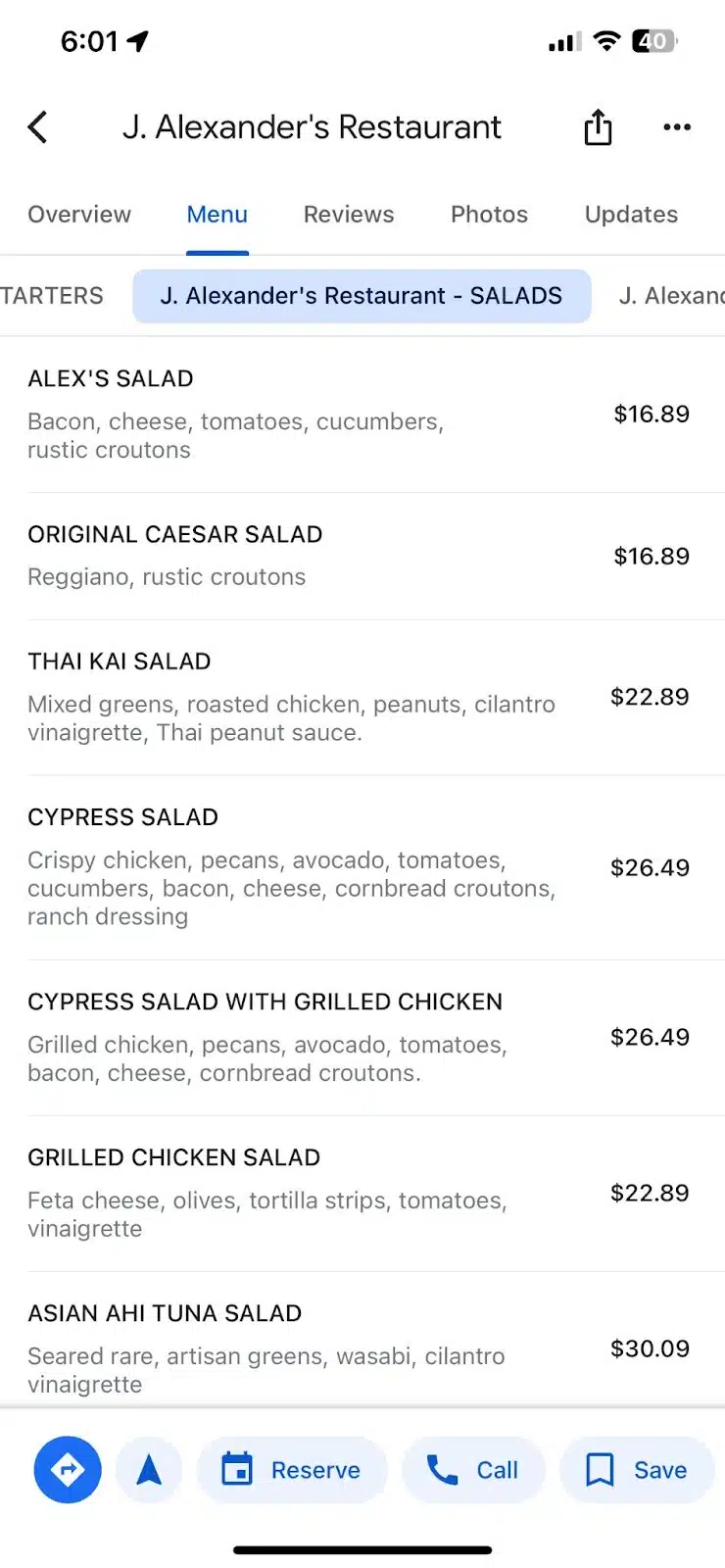
AI technologies analyse menus by recognising headings, dish names, descriptions and prices. This eliminates manual editing, ensuring accuracy and saving time.
3. Improved visibility in search engines
Google uses menu data to optimise your profile in search queries. Each menu item becomes a potential keyword, which helps you attract new customers through relevant search queries, such as «best burger downtown» or «takeaway pizza».
How to download a menu in PDF format: step-by-step instructions
Step 1: Prepare a PDF file
Make sure that your menu is clearly structured: headings, dish names and descriptions are arranged in a logical order.
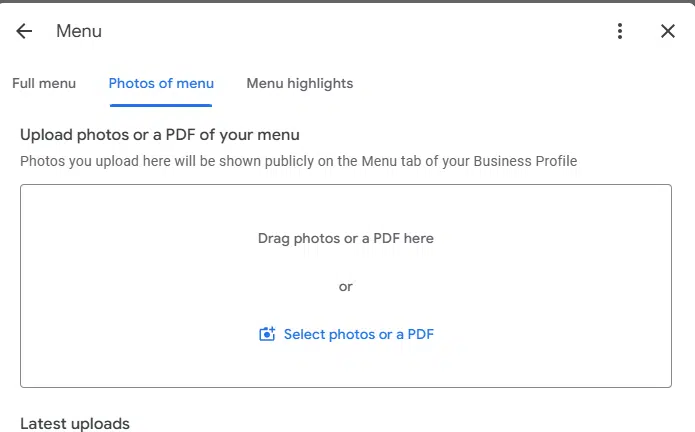
Step 2: Upload the menu to your Google Business Profile
- Log in to your GBP account.
- Go to the "Edit menu section".
- Choose a PDF file format and upload your document.
Step 3: Review and publish
Google's AI usually does a great job with recognition, but it's always worth checking the menu display before publishing.
SEO benefits for the restaurant business
Each menu item is a keyword
Google recognises each dish as a separate search element, which allows your restaurant to appear in relevant queries. For example, if someone searches for ‘vegan soup nearby’ and your restaurant offers this dish, your chances of appearing in the search results increase.
Improved local visibility
An AI-optimised menu helps your restaurant stay one step ahead of the competition in local search.
Benefits of using the updated menu function
- Efficiency: Less time spent on manual editing.
- Convenience for customers: Easy and quick access to the full menu.
- Higher search rankings: Better rankings for specific search queries.
- Professional look: A well-displayed menu inspires confidence in your business.
Conclusion: why should you use the new feature?
The updated menu upload feature in Google Business Profile opens up new opportunities for restaurants. With support for multi-page PDFs, you can showcase your offerings in a comprehensive and high-quality manner. And AI technologies not only simplify the process, but also increase the efficiency of promoting your business online.
Don't miss the chance to use these innovations to improve your customer experience and increase customer engagement. Upload your menu today and see how easy and effective it is!


